.webp)
Refine by
Series
Colour
Category
Epson SureColor Ink & Maintenance
64 products found in Epson SureColor Ink & Maintenance
Original Epson UltraChrome ink for SureColor large format printers, from technical and photo models to eco-solvent, dye sublimation and resin. Search by printer model, or use the filters to narrow by series and colour.
Printers
Ink ranges
Not your printer? Keep typing, or ask our team.
Browse all printers
HP printers (290)
- HP Color Copier 100No. 45 Ink Cartridge Black - 42ml
- HP Color Copier 110No. 45 Ink Cartridge Black - 42ml
- HP Color Copier 120No. 45 Ink Cartridge Black - 42ml
- HP Color Copier 140No. 45 Ink Cartridge Black - 42ml
- HP Color Copier 145No. 45 Ink Cartridge Black - 42ml
- HP Color Copier 150No. 45 Ink Cartridge Black - 42ml
- HP Color Copier 155No. 45 Ink Cartridge Black - 42ml
- HP Color Copier 160No. 45 Ink Cartridge Black - 42ml
- HP Color Copier 170No. 45 Ink Cartridge Black - 42ml
- HP Color Copier 180No. 45 Ink Cartridge Black - 42ml
- HP Color Copier 190No. 45 Ink Cartridge Black - 42ml
- HP Color Copier 210No. 45 Ink Cartridge Black - 42ml
- HP Color Copier 210LXNo. 45 Ink Cartridge Black - 42ml
- HP Color Copier 260No. 45 Ink Cartridge Black - 42ml
- HP Color Copier 270No. 45 Ink Cartridge Black - 42ml
- HP Color Copier 280No. 45 Ink Cartridge Black - 42ml
- HP Color Copier 290No. 45 Ink Cartridge Black - 42ml
- HP CS5440UVHP Printhead Flush - 1000ml
- HP CS5445UVHP Printhead Flush - 1000ml
- HP CS5460UVHP Printhead Flush - 1000ml
- HP CS5465UVHP Printhead Flush - 1000ml
- HP DesignJet 700No. 45 Ink Cartridge Black - 42ml
- HP DesignJet 700CNo. 45 Ink Cartridge Black - 42ml
- HP DesignJet 750 PlusNo. 45 Ink Cartridge Black - 42ml
- HP DesignJet 750CNo. 45 Ink Cartridge Black - 42ml
- HP DesignJet 750C PlusNo. 45 Ink Cartridge Black - 42ml
- HP DesignJet 755CMNo. 45 Ink Cartridge Black - 42ml
- HP DesignJet 755CM+No. 45 Ink Cartridge Black - 42ml
- HP DesignJet 4000HP No. 90 Ink Cartridge Black - 400ml
- HP DesignJet 4020HP No. 90 Ink Cartridge Black - 400ml
- HP DesignJet 4500HP No. 90 Ink Cartridge Black - 400ml
- HP DesignJet 4520HP No. 90 Ink Cartridge Black - 400ml
- HP DesignJet 35500HP Printhead Flush - 1000ml
- HP DesignJet H35100HP Printhead Flush - 1000ml
- HP DesignJet H35500HP Printhead Flush - 1000ml
- HP DesignJet H45100HP Printhead Flush - 1000ml
- HP DesignJet H45500HP Printhead Flush - 1000ml
- HP DesignJet StudioHP 712 Ink Cartridge SeriesNo. 713 Printhead Replacement Kit
- HP DesignJet T120HP 711 Ink Cartridge SeriesHP No. 711 Designjet Printhead Replacement Kit
- HP DesignJet T125HP 711 Ink Cartridge SeriesHP No. 711 Designjet Printhead Replacement Kit
- HP DesignJet T130HP 711 Ink Cartridge SeriesHP No. 711 Designjet Printhead Replacement Kit
- HP DesignJet T210HP 712 Ink Cartridge SeriesNo. 713 Printhead Replacement Kit
- HP DesignJet T230HP 712 Ink Cartridge SeriesNo. 713 Printhead Replacement Kit
- HP DesignJet T250HP 712 Ink Cartridge SeriesNo. 713 Printhead Replacement Kit
- HP DesignJet T520HP 711 Ink Cartridge SeriesHP No. 711 Designjet Printhead Replacement Kit
- HP DesignJet T525HP 711 Ink Cartridge SeriesHP No. 711 Designjet Printhead Replacement Kit
- HP DesignJet T530HP 711 Ink Cartridge SeriesHP No. 711 Designjet Printhead Replacement Kit
- HP DesignJet T610HP 72 Ink Cartridge SeriesHP 72 DesignJet Printheads
- HP DesignJet T620HP 72 Ink Cartridge SeriesHP 72 DesignJet Printheads
- HP DesignJet T630HP 712 Ink Cartridge SeriesNo. 713 Printhead Replacement Kit
- HP DesignJet T650HP 712 Ink Cartridge SeriesNo. 713 Printhead Replacement Kit
- HP DesignJet T730HP 728 Ink Cartridge SeriesHP No. 729 Designjet Printhead Replacement Kit
- HP DesignJet T770HP 72 Ink Cartridge SeriesHP 72 DesignJet Printheads
- HP DesignJet T790HP 72 Ink Cartridge SeriesHP 72 DesignJet PrintheadsHP No. 726 Ink Cartridge Matte Black - 300ml for T1200 only
- HP DesignJet T795HP 72 Ink Cartridge SeriesHP 72 DesignJet PrintheadsHP No. 726 Ink Cartridge Matte Black - 300ml for T1200 only
- HP DesignJet T830HP 728 Ink Cartridge SeriesHP No. 729 Designjet Printhead Replacement Kit
- HP DesignJet T850HP 738 Ink Cartridge SeriesNo. 739 DesignJet Printhead Replacement Kit
- HP DesignJet T920HP 727 Ink Cartridge SeriesHP No. 727 Designjet Printhead
- HP DesignJet T930HP 727 Ink Cartridge SeriesHP No. 727 Designjet Printhead
- HP DesignJet T950HP 738 Ink Cartridge SeriesNo. 739 DesignJet Printhead Replacement Kit
- HP DesignJet T1100HP 72 Ink Cartridge SeriesHP 72 DesignJet Printheads
- HP DesignJet T1120HP 72 Ink Cartridge SeriesHP 72 DesignJet Printheads
- HP DesignJet T1200HP 72 Ink Cartridge SeriesHP 72 DesignJet PrintheadsHP No. 726 Ink Cartridge Matte Black - 300ml for T1200 only
- HP DesignJet T1300HP 72 Ink Cartridge SeriesHP 72 DesignJet PrintheadsHP No. 726 Ink Cartridge Matte Black - 300ml for T1200 only
- HP DesignJet T1500HP 727 Ink Cartridge SeriesHP No. 727 Designjet Printhead
- HP DesignJet T1530HP 727 Ink Cartridge SeriesHP No. 727 Designjet Printhead
- HP DesignJet T1600HP 730 Ink Cartridge SeriesHP No. 731 Ink Printhead
- HP DesignJet T1700HP 730 Ink Cartridge SeriesHP No. 731 Ink Printhead
- HP DesignJet T2300HP 72 Ink Cartridge SeriesHP 72 DesignJet PrintheadsHP No. 726 Ink Cartridge Matte Black - 300ml for T1200 only
- HP DesignJet T2500HP 727 Ink Cartridge SeriesHP No. 727 Designjet Printhead
- HP DesignJet T2530HP 727 Ink Cartridge SeriesHP No. 727 Designjet Printhead
- HP DesignJet T2600HP 730 Ink Cartridge SeriesHP No. 731 Ink Printhead
- HP DesignJet T3500HP 764 Ink Cartridge SeriesHP No. 727 Designjet Printhead
- HP DesignJet T7100HP 761 Ink Cartridge SeriesHP 761 DesignJet PrintheadsHP No. 761 Maintenance Cartridge
- HP DesignJet T7200HP 761 Ink Cartridge SeriesHP 765 Ink Cartridge SeriesHP 761 DesignJet PrintheadsHP No. 761 Maintenance Cartridge
- HP DesignJet XL 3600HP 766 Ink Cartridge Series
- HP DesignJet XL 3600drHP 766 Ink Cartridge Series
- HP DesignJet XL 3800HP 768 Ink Cartridge SeriesNo. 768 DesignJet Maintenance CartridgeNo. 769 Printhead Black and Magenta 1-2No. 769 Printhead Magenta and Black 5-6No. 769 Printhead Yellow and Cyan 3-4
- HP DesignJet Z6HP 746 Ink Cartridge SeriesHP No. 746 Ink Printhead
- HP DesignJet Z6 ProHP 775 Ink Cartridge SeriesNo. 777 DesignJet Maintenance CartridgeNo. 777 DesignJet Printhead
- HP DesignJet Z6drHP 746 Ink Cartridge SeriesHP No. 746 Ink Printhead
- HP DesignJet Z9+HP 746 Ink Cartridge SeriesHP 747 Ink Cartridge SeriesHP No. 746 Ink Printhead
- HP DesignJet Z9+drHP 746 Ink Cartridge SeriesHP 747 Ink Cartridge SeriesHP No. 746 Ink Printhead
- HP DesignJet Z9+ ProHP 776 Ink Cartridge SeriesNo. 777 DesignJet Maintenance CartridgeNo. 777 DesignJet Printhead
- HP DesignJet Z2100HP 70 Ink Cartridge SeriesHP 70 Printhead Replacement Series
- HP DesignJet Z2600HP 745 Ink Cartridge SeriesHP No. 744 Ink Printhead - Magenta & YellowHP No. 744 Ink Printhead - Matte Black & RedHP No. 744 Ink Printhead - Photo Black & Cyan
- HP DesignJet Z3100HP 70 Ink Cartridge SeriesHP 70 Printhead Replacement Series
- HP DesignJet Z3200HP 70 Ink Cartridge SeriesHP 70 Printhead Replacement SeriesHP No. 73 Cartridge Chromatic Red - 130mlHP No. 73 Printhead - Matte Black, Chromatic Red
- HP DesignJet Z5200HP 70 Ink Cartridge SeriesHP 772 Ink Cartridge SeriesHP 70 Printhead Replacement Series
- HP DesignJet Z5400HP 70 Ink Cartridge SeriesHP 772 Ink Cartridge SeriesHP 70 Printhead Replacement Series
- HP DesignJet Z5600HP 745 Ink Cartridge SeriesHP No. 744 Ink Printhead - Magenta & YellowHP No. 744 Ink Printhead - Matte Black & RedHP No. 744 Ink Printhead - Photo Black & Cyan
- HP DesignJet Z6100HP 91 Ink Cartridge SeriesHP No. 91 Value Pack - Magenta & YellowHP No. 91 Value Pack - Matte Black & CyanHP No. 91 Value Pack - Photo Black & Light GreyHP 91 User Maintenance KitHP No. 91 Maintenance Cartridge
- HP DesignJet Z6200HP 771 Ink CartridgesHP 771 Printheads & Maintenance
- HP DesignJet Z6600HP 771 Ink CartridgesHP 773 Ink Cartridge SeriesHP 771 Printheads & MaintenanceHP No. 773 Matte Black and Cyan Designjet Printhead
- HP DesignJet Z6610HP 771 Ink CartridgesHP 771 Printheads & MaintenanceHP No. 774 Ink Cartridge Chromatic Red - 775mlHP No. 774 Ink Printhead - Light Magenta & Light CyanHP No. 774 Ink Printhead - Magenta & YellowHP No. 774 Ink Printhead -Matte Black & Chromatic RedHP No. 774 Ink Printhead - Matte Black & CyanHP No. 774 Ink Printhead - Photo Black & Light Grey
- HP DesignJet Z6800HP 771 Ink CartridgesHP 773 Ink Cartridge SeriesHP 771 Printheads & MaintenanceHP No. 773 Matte Black and Cyan Designjet Printhead
- HP DesignJet Z6810HP 771 Ink CartridgesHP 771 Printheads & MaintenanceHP No. 774 Ink Cartridge Chromatic Red - 775mlHP No. 774 Ink Printhead - Light Magenta & Light CyanHP No. 774 Ink Printhead - Magenta & YellowHP No. 774 Ink Printhead -Matte Black & Chromatic RedHP No. 774 Ink Printhead - Matte Black & CyanHP No. 774 Ink Printhead - Photo Black & Light Grey
- HP DeskJet 710CNo. 45 Ink Cartridge Black - 42ml
- HP DeskJet 712CNo. 45 Ink Cartridge Black - 42ml
- HP DeskJet 720CNo. 45 Ink Cartridge Black - 42ml
- HP DeskJet 722CNo. 45 Ink Cartridge Black - 42ml
- HP DeskJet 750No. 45 Ink Cartridge Black - 42ml
- HP DeskJet 750CNo. 45 Ink Cartridge Black - 42ml
- HP DeskJet 755No. 45 Ink Cartridge Black - 42ml
- HP DeskJet 755CNo. 45 Ink Cartridge Black - 42ml
- HP DeskJet 815CNo. 45 Ink Cartridge Black - 42ml
- HP DeskJet 820CNo. 45 Ink Cartridge Black - 42ml
- HP DeskJet 820CENo. 45 Ink Cartridge Black - 42ml
- HP DeskJet 820CSENo. 45 Ink Cartridge Black - 42ml
- HP DeskJet 820CXINo. 45 Ink Cartridge Black - 42ml
- HP DeskJet 830CNo. 45 Ink Cartridge Black - 42ml
- HP DeskJet 832CNo. 45 Ink Cartridge Black - 42ml
- HP DeskJet 850No. 45 Ink Cartridge Black - 42ml
- HP DeskJet 850CNo. 45 Ink Cartridge Black - 42ml
- HP DeskJet 850CXINo. 45 Ink Cartridge Black - 42ml
- HP DeskJet 855CNo. 45 Ink Cartridge Black - 42ml
- HP DeskJet 855CSENo. 45 Ink Cartridge Black - 42ml
- HP DeskJet 855CXINo. 45 Ink Cartridge Black - 42ml
- HP DeskJet 870CNo. 45 Ink Cartridge Black - 42ml
- HP DeskJet 870CSENo. 45 Ink Cartridge Black - 42ml
- HP DeskJet 870CSINo. 45 Ink Cartridge Black - 42ml
- HP DeskJet 870CXINo. 45 Ink Cartridge Black - 42ml
- HP DeskJet 870KNo. 45 Ink Cartridge Black - 42ml
- HP DeskJet 880CNo. 45 Ink Cartridge Black - 42ml
- HP DeskJet 882CNo. 45 Ink Cartridge Black - 42ml
- HP DeskJet 890CNo. 45 Ink Cartridge Black - 42ml
- HP DeskJet 890CMNo. 45 Ink Cartridge Black - 42ml
- HP DeskJet 890CSENo. 45 Ink Cartridge Black - 42ml
- HP DeskJet 890CXINo. 45 Ink Cartridge Black - 42ml
- HP DeskJet 895CSENo. 45 Ink Cartridge Black - 42ml
- HP DeskJet 895CXINo. 45 Ink Cartridge Black - 42ml
- HP DeskJet 930CNo. 45 Ink Cartridge Black - 42ml
- HP DeskJet 930CMNo. 45 Ink Cartridge Black - 42ml
- HP DeskJet 932CNo. 45 Ink Cartridge Black - 42ml
- HP DeskJet 933CNo. 45 Ink Cartridge Black - 42ml
- HP DeskJet 934CNo. 45 Ink Cartridge Black - 42ml
- HP DeskJet 935CNo. 45 Ink Cartridge Black - 42ml
- HP DeskJet 950CNo. 45 Ink Cartridge Black - 42ml
- HP DeskJet 952CNo. 45 Ink Cartridge Black - 42ml
- HP DeskJet 955CNo. 45 Ink Cartridge Black - 42ml
- HP DeskJet 957CNo. 45 Ink Cartridge Black - 42ml
- HP DeskJet 959CNo. 45 Ink Cartridge Black - 42ml
- HP DeskJet 960CNo. 45 Ink Cartridge Black - 42ml
- HP DeskJet 960CSENo. 45 Ink Cartridge Black - 42ml
- HP DeskJet 960CXINo. 45 Ink Cartridge Black - 42ml
- HP DeskJet 970CNo. 45 Ink Cartridge Black - 42ml
- HP DeskJet 970CSENo. 45 Ink Cartridge Black - 42ml
- HP DeskJet 970CXNo. 45 Ink Cartridge Black - 42ml
- HP DeskJet 970CXINo. 45 Ink Cartridge Black - 42ml
- HP DeskJet 980CNo. 45 Ink Cartridge Black - 42ml
- HP DeskJet 980CXINo. 45 Ink Cartridge Black - 42ml
- HP DeskJet 990CNo. 45 Ink Cartridge Black - 42ml
- HP DeskJet 990CMNo. 45 Ink Cartridge Black - 42ml
- HP DeskJet 990CSENo. 45 Ink Cartridge Black - 42ml
- HP DeskJet 990CXINo. 45 Ink Cartridge Black - 42ml
- HP DeskJet 995CNo. 45 Ink Cartridge Black - 42ml
- HP DeskJet 995CKNo. 45 Ink Cartridge Black - 42ml
- HP DeskJet 1000CNo. 45 Ink Cartridge Black - 42ml
- HP DeskJet 1000CSENo. 45 Ink Cartridge Black - 42ml
- HP DeskJet 1000CXINo. 45 Ink Cartridge Black - 42ml
- HP DeskJet 1100CNo. 45 Ink Cartridge Black - 42ml
- HP DeskJet 1100CSENo. 45 Ink Cartridge Black - 42ml
- HP DeskJet 1100CXINo. 45 Ink Cartridge Black - 42ml
- HP DeskJet 1120CNo. 45 Ink Cartridge Black - 42ml
- HP DeskJet 1120CSENo. 45 Ink Cartridge Black - 42ml
- HP DeskJet 1120CXINo. 45 Ink Cartridge Black - 42ml
- HP DeskJet 1125CNo. 45 Ink Cartridge Black - 42ml
- HP DeskJet 1180CNo. 45 Ink Cartridge Black - 42ml
- HP DeskJet 1180CSENo. 45 Ink Cartridge Black - 42ml
- HP DeskJet 1180CXINo. 45 Ink Cartridge Black - 42ml
- HP DeskJet 1220CNo. 45 Ink Cartridge Black - 42ml
- HP DeskJet 1220C/PSNo. 45 Ink Cartridge Black - 42ml
- HP DeskJet 1220CSENo. 45 Ink Cartridge Black - 42ml
- HP DeskJet 1220CXINo. 45 Ink Cartridge Black - 42ml
- HP DeskJet 1280No. 45 Ink Cartridge Black - 42ml
- HP DeskJet 1600CNo. 45 Ink Cartridge Black - 42ml
- HP DeskJet 1600CMNo. 45 Ink Cartridge Black - 42ml
- HP DeskJet 1600CNNo. 45 Ink Cartridge Black - 42ml
- HP DeskJet 1600PSNo. 45 Ink Cartridge Black - 42ml
- HP DeskJet 6120No. 45 Ink Cartridge Black - 42ml
- HP DeskJet 6122No. 45 Ink Cartridge Black - 42ml
- HP DeskJet 6127No. 45 Ink Cartridge Black - 42ml
- HP DeskJet 9300No. 45 Ink Cartridge Black - 42ml
- HP Fax 1220No. 45 Ink Cartridge Black - 42ml
- HP Fax 1220XINo. 45 Ink Cartridge Black - 42ml
- HP Latex 110HP 831C Latex Ink Cartridge Series
- HP Latex 115HP 831C Latex Ink Cartridge Series
- HP Latex 310HP 831C Latex Ink Cartridge Series
- HP Latex 315HP 831C Latex Ink Cartridge Series
- HP Latex 330HP 831C Latex Ink Cartridge Series
- HP Latex 335HP 831C Latex Ink Cartridge Series
- HP Latex 360HP 831C Latex Ink Cartridge Series
- HP Latex 365HP 831C Latex Ink Cartridge Series
- HP Latex 370HP 871C Latex Ink Cartridge Series
- HP Latex 375HP 871C Latex Ink Cartridge Series
- HP Latex 560HP 831C Latex Ink Cartridge Series
- HP Latex 570HP 831C Latex Ink Cartridge SeriesHP 871C Latex Ink Cartridge Series
- HP Latex 575HP 871C Latex Ink Cartridge Series
- HP Latex 630HP 832 Latex Ink Cartridge Series
- HP Latex 630WHP 832 Latex Ink Cartridge SeriesHP No. 832 Ink Mix Container
- HP Latex 700HP 832 Latex Ink Cartridge SeriesHP Ink Collector Foam KitHP No. 832 Ink Mix Container
- HP Latex 700WHP 832 Latex Ink Cartridge SeriesHP Ink Collector Foam KitHP No. 832 Ink Mix Container
- HP Latex 730HP 832 Latex Ink Cartridge Series
- HP Latex 730WHP 832 Latex Ink Cartridge Series
- HP Latex 800HP 832 Latex Ink Cartridge SeriesHP 873 Latex Ink Cartridge SeriesHP Ink Collector Foam KitHP No. 832 Ink Mix Container
- HP Latex 800WHP 832 Latex Ink Cartridge SeriesHP 873 Latex Ink Cartridge SeriesHP Ink Collector Foam KitHP No. 832 Ink Mix Container
- HP Latex 1500HP 881 Latex Ink Cartridge SeriesHP 881 Latex PrintheadsHP No. 881 No. 886 Latex Ink Cartridge White - 3000ml
- HP Latex 2700HP 883 Latex Ink Cartridge SeriesHP Latex Printhead Cleaning Roll Kit
- HP Latex 2700WHP 883 Latex Ink Cartridge SeriesHP Latex Printhead Cleaning Roll Kit
- HP Latex 3000HP 881 Latex Ink Cartridge SeriesHP 891 Latex Ink Cartridge SeriesHP 881 Latex PrintheadsHP No. 881 Latex Cleaning Roll
- HP Latex 3100HP 881 Latex Ink Cartridge SeriesHP 891 Latex Ink Cartridge SeriesHP 881 Latex PrintheadsHP No. 881 Latex Cleaning Roll
- HP Latex 3200HP 881 Latex Ink Cartridge SeriesHP 891 Latex Ink Cartridge SeriesHP 881 Latex PrintheadsHP No. 881 Latex Cleaning Roll
- HP Latex 3500HP 881 Latex Ink Cartridge SeriesHP 891 Latex Ink Cartridge SeriesHP 881 Latex PrintheadsHP No. 881 Latex Cleaning Roll
- HP Latex 3600HP 881 Latex Ink Cartridge SeriesHP 891 Latex Ink Cartridge SeriesHP 881 Latex PrintheadsHP No. 881 Latex Cleaning Roll
- HP Latex 3800HP 881 Latex Ink Cartridge SeriesHP 891 Latex Ink Cartridge SeriesHP 881 Latex Printheads
- HP Latex R1000HP No. 881 No. 886 Latex Ink Cartridge White - 3000ml
- HP Latex R2000HP 882 Latex Ink Cartridge SeriesHP No. 881 No. 886 Latex Ink Cartridge White - 3000ml
- HP Latex R2000 PlusHP 882 Latex Ink Cartridge SeriesHP No. 881 No. 886 Latex Ink Cartridge White - 3000ml
- HP OfficeJet 1150CNo. 45 Ink Cartridge Black - 42ml
- HP OfficeJet 1150CSENo. 45 Ink Cartridge Black - 42ml
- HP OfficeJet 1170No. 45 Ink Cartridge Black - 42ml
- HP OfficeJet 1170CNo. 45 Ink Cartridge Black - 42ml
- HP OfficeJet 1170CSENo. 45 Ink Cartridge Black - 42ml
- HP OfficeJet 1170CXINo. 45 Ink Cartridge Black - 42ml
- HP OfficeJet 1175CSENo. 45 Ink Cartridge Black - 42ml
- HP OfficeJet 1175CXINo. 45 Ink Cartridge Black - 42ml
- HP OfficeJet 1175XNo. 45 Ink Cartridge Black - 42ml
- HP OfficeJet G55No. 45 Ink Cartridge Black - 42ml
- HP OfficeJet G55XINo. 45 Ink Cartridge Black - 42ml
- HP OfficeJet G85No. 45 Ink Cartridge Black - 42ml
- HP OfficeJet G85XINo. 45 Ink Cartridge Black - 42ml
- HP OfficeJet G95No. 45 Ink Cartridge Black - 42ml
- HP OfficeJet K60No. 45 Ink Cartridge Black - 42ml
- HP OfficeJet K60XINo. 45 Ink Cartridge Black - 42ml
- HP OfficeJet K80No. 45 Ink Cartridge Black - 42ml
- HP OfficeJet K80XINo. 45 Ink Cartridge Black - 42ml
- HP OfficeJet Pro 1150CNo. 45 Ink Cartridge Black - 42ml
- HP OfficeJet Pro 1150CSENo. 45 Ink Cartridge Black - 42ml
- HP OfficeJet Pro 1170No. 45 Ink Cartridge Black - 42ml
- HP OfficeJet Pro 1170CNo. 45 Ink Cartridge Black - 42ml
- HP OfficeJet Pro 1170CSENo. 45 Ink Cartridge Black - 42ml
- HP OfficeJet Pro 1170CXINo. 45 Ink Cartridge Black - 42ml
- HP OfficeJet Pro 1170CXI All-in-OneNo. 45 Ink Cartridge Black - 42ml
- HP OfficeJet Pro 1175No. 45 Ink Cartridge Black - 42ml
- HP OfficeJet Pro 1175CNo. 45 Ink Cartridge Black - 42ml
- HP OfficeJet Pro 1175CSENo. 45 Ink Cartridge Black - 42ml
- HP OfficeJet Pro 1175CXINo. 45 Ink Cartridge Black - 42ml
- HP OfficeJet R40No. 45 Ink Cartridge Black - 42ml
- HP OfficeJet R40XINo. 45 Ink Cartridge Black - 42ml
- HP OfficeJet R45No. 45 Ink Cartridge Black - 42ml
- HP OfficeJet R60No. 45 Ink Cartridge Black - 42ml
- HP OfficeJet R65No. 45 Ink Cartridge Black - 42ml
- HP OfficeJet R80No. 45 Ink Cartridge Black - 42ml
- HP OfficeJet R80XINo. 45 Ink Cartridge Black - 42ml
- HP OfficeJet T45No. 45 Ink Cartridge Black - 42ml
- HP OfficeJet T45XINo. 45 Ink Cartridge Black - 42ml
- HP OfficeJet T65No. 45 Ink Cartridge Black - 42ml
- HP OfficeJet T65XINo. 45 Ink Cartridge Black - 42ml
- HP PageWide XL 4000HP 843C Ink Cartridge SeriesHP No. 841 Cleaning ContainerHP No. 841 Maintenance CartridgeHP No. 841 PageWide XL Printhead
- HP PageWide XL 4100HP 843C Ink Cartridge SeriesHP No. 841 Cleaning ContainerHP No. 841 Maintenance CartridgeHP No. 841 PageWide XL Printhead
- HP PageWide XL 4500HP 843C Ink Cartridge SeriesHP No. 841 Cleaning ContainerHP No. 841 Maintenance CartridgeHP No. 841 PageWide XL Printhead
- HP PageWide XL 4600HP 843C Ink Cartridge SeriesHP No. 841 Cleaning ContainerHP No. 841 Maintenance CartridgeHP No. 841 PageWide XL Printhead
- HP PageWide XL 5000HP 843C Ink Cartridge SeriesHP No. 841 Cleaning ContainerHP No. 841 Maintenance CartridgeHP No. 841 PageWide XL Printhead
- HP PageWide XL 5100HP 843C Ink Cartridge SeriesHP No. 841 Cleaning ContainerHP No. 841 Maintenance CartridgeHP No. 841 PageWide XL Printhead
- HP PageWide XL 8000HP 842C Ink Cartridge SeriesHP No. 841 Cleaning ContainerHP No. 841 Maintenance CartridgeHP No. 841 PageWide XL Printhead
- HP Photosmart 1000No. 45 Ink Cartridge Black - 42ml
- HP Photosmart 1000INo. 45 Ink Cartridge Black - 42ml
- HP Photosmart 1000XINo. 45 Ink Cartridge Black - 42ml
- HP Photosmart 1100No. 45 Ink Cartridge Black - 42ml
- HP Photosmart 1100XINo. 45 Ink Cartridge Black - 42ml
- HP Photosmart 1115No. 45 Ink Cartridge Black - 42ml
- HP Photosmart 1115CVRNo. 45 Ink Cartridge Black - 42ml
- HP Photosmart 1115VMNo. 45 Ink Cartridge Black - 42ml
- HP Photosmart 1215No. 45 Ink Cartridge Black - 42ml
- HP Photosmart 1215VMNo. 45 Ink Cartridge Black - 42ml
- HP Photosmart 1218No. 45 Ink Cartridge Black - 42ml
- HP Photosmart 1218XINo. 45 Ink Cartridge Black - 42ml
- HP Photosmart 1315No. 45 Ink Cartridge Black - 42ml
- HP Photosmart 1315VMNo. 45 Ink Cartridge Black - 42ml
- HP Photosmart 2100No. 45 Ink Cartridge Black - 42ml
- HP Photosmart P1000No. 45 Ink Cartridge Black - 42ml
- HP Photosmart P1100No. 45 Ink Cartridge Black - 42ml
- HP Photosmart P1100XINo. 45 Ink Cartridge Black - 42ml
- HP Photosmart P1115No. 45 Ink Cartridge Black - 42ml
- HP Photosmart P1215No. 45 Ink Cartridge Black - 42ml
- HP Scitex FB500HP FB250 UV Curable Ink Black 3000mlHP FB250 UV Curable Ink Cyan 3000mlHP FB250 UV Curable Ink Light Cyan 3000mlHP FB250 UV Curable Ink Light Magenta 3000mlHP FB250 UV Curable Ink Magenta 3000mlHP FB250 UV Curable Ink Yellow 3000mlHP FB251 White Scitex Ink Cartridge 2000mlHP Printhead Flush - 1000ml
- HP Scitex FB550HP FB250 UV Curable Ink Black 3000mlHP FB250 UV Curable Ink Cyan 3000mlHP FB250 UV Curable Ink Light Cyan 3000mlHP FB250 UV Curable Ink Light Magenta 3000mlHP FB250 UV Curable Ink Magenta 3000mlHP FB250 UV Curable Ink Yellow 3000mlHP FB251 White Scitex Ink Cartridge 2000mlHP Printhead Flush - 1000ml
- HP Scitex FB700HP FB250 UV Curable Ink Black 3000mlHP FB250 UV Curable Ink Cyan 3000mlHP FB250 UV Curable Ink Light Cyan 3000mlHP FB250 UV Curable Ink Light Magenta 3000mlHP FB250 UV Curable Ink Magenta 3000mlHP FB250 UV Curable Ink Yellow 3000mlHP FB251 White Scitex Ink Cartridge 2000mlHP Printhead Flush - 1000ml
- HP Scitex FB750HP FB250 UV Curable Ink Black 3000mlHP FB250 UV Curable Ink Cyan 3000mlHP FB250 UV Curable Ink Light Cyan 3000mlHP FB250 UV Curable Ink Light Magenta 3000mlHP FB250 UV Curable Ink Magenta 3000mlHP FB250 UV Curable Ink Yellow 3000mlHP FB251 White Scitex Ink Cartridge 2000mlHP Printhead Flush - 1000ml
- HP Scitex FB950HP FB250 UV Curable Ink Black 3000mlHP FB250 UV Curable Ink Cyan 3000mlHP FB250 UV Curable Ink Light Cyan 3000mlHP FB250 UV Curable Ink Light Magenta 3000mlHP FB250 UV Curable Ink Magenta 3000mlHP FB250 UV Curable Ink Yellow 3000mlHP Printhead Flush - 1000ml
Canon printers (110)
- Canon imagePROGRAF GP-200Canon PFI-120 Ink Cartridge SeriesCanon PFI-320 Ink Cartridge SeriesCanon - PF-07 Print HeadCanon - MC-31 Maintenance Cartridge
- Canon imagePROGRAF GP-300Canon PFI-120 Ink Cartridge SeriesCanon PFI-320 Ink Cartridge SeriesCanon - PF-07 Print HeadCanon - MC-31 Maintenance Cartridge
- Canon imagePROGRAF GP-2000Canon PFI-2100 Ink Cartridge SeriesCanon PFI-2300 Ink Cartridge SeriesCanon PFI-2700 Ink Cartridge SeriesCanon - MC-30 Maintenance CartridgeCanon Printhead PF-10
- Canon imagePROGRAF GP-2600SCanon PFI-2300 Ink Cartridge SeriesCanon PFI-2700 Ink Cartridge SeriesCanon PFI-3100 Ink Cartridge SeriesCanon PFI-3300 Ink Cartridge SeriesCanon PFI-3700 Ink Cartridge SeriesCanon - MC-30 Maintenance CartridgeCanon Printhead PF-10
- Canon imagePROGRAF GP-4000Canon PFI-2100 Ink Cartridge SeriesCanon PFI-2300 Ink Cartridge SeriesCanon PFI-2700 Ink Cartridge SeriesCanon - MC-30 Maintenance CartridgeCanon Printhead PF-10
- Canon imagePROGRAF GP-4600SCanon PFI-2300 Ink Cartridge SeriesCanon PFI-2700 Ink Cartridge SeriesCanon PFI-3100 Ink Cartridge SeriesCanon PFI-3300 Ink Cartridge SeriesCanon PFI-3700 Ink Cartridge SeriesCanon - MC-30 Maintenance CartridgeCanon Printhead PF-10
- Canon imagePROGRAF GP-6600SCanon PFI-2300 Ink Cartridge SeriesCanon PFI-2700 Ink Cartridge SeriesCanon PFI-3100 Ink Cartridge SeriesCanon PFI-3300 Ink Cartridge SeriesCanon PFI-3700 Ink Cartridge SeriesCanon - MC-30 Maintenance CartridgeCanon Printhead PF-10
- Canon imagePROGRAF iPF500Canon - MC-05 Maintenance Cartridge
- Canon imagePROGRAF IPF510Canon - MC-05 Maintenance CartridgeCanon Maintenance Cartridge MC-05 (UNI)
- Canon imagePROGRAF iPF600Canon - MC-16 Maintenance CartridgeCanon Maintenance Cartridge MC -16 (UNI)
- Canon imagePROGRAF iPF605Canon - MC-16 Maintenance CartridgeCanon Maintenance Cartridge MC -16 (UNI)
- Canon imagePROGRAF iPF610Canon - MC-16 Maintenance CartridgeCanon Maintenance Cartridge MC -16 (UNI)
- Canon imagePROGRAF iPF650Canon - MC-10 Maintenance CartridgeCanon Printhead PF-04 with MyLFP enhanced 1 year warranty
- Canon imagePROGRAF iPF655Canon - MC-10 Maintenance CartridgeCanon Printhead PF-04 with MyLFP enhanced 1 year warranty
- Canon imagePROGRAF iPF670Canon PFI-107 Ink Cartridge SeriesCanon - MC-10 Maintenance CartridgeCanon Printhead PF-04 with MyLFP enhanced 1 year warranty
- Canon imagePROGRAF iPF680Canon PFI-107 Ink Cartridge SeriesCanon - MC-10 Maintenance CartridgeCanon Printhead PF-04 with MyLFP enhanced 1 year warranty
- Canon imagePROGRAF iPF685Canon PFI-107 Ink Cartridge SeriesCanon - MC-10 Maintenance CartridgeCanon Printhead PF-04 with MyLFP enhanced 1 year warranty
- Canon imagePROGRAF iPF750Canon - MC-10 Maintenance CartridgeCanon Printhead PF-04 with MyLFP enhanced 1 year warranty
- Canon imagePROGRAF iPF755Canon - MC-10 Maintenance CartridgeCanon Printhead PF-04 with MyLFP enhanced 1 year warranty
- Canon imagePROGRAF iPF760Canon - MC-10 Maintenance CartridgeCanon Printhead PF-04 with MyLFP enhanced 1 year warranty
- Canon imagePROGRAF iPF765Canon - MC-10 Maintenance CartridgeCanon Printhead PF-04 with MyLFP enhanced 1 year warranty
- Canon imagePROGRAF iPF770Canon PFI-107 Ink Cartridge SeriesCanon - MC-10 Maintenance CartridgeCanon Printhead PF-04 with MyLFP enhanced 1 year warranty
- Canon imagePROGRAF iPF780Canon PFI-107 Ink Cartridge SeriesCanon - MC-10 Maintenance CartridgeCanon Printhead PF-04 with MyLFP enhanced 1 year warranty
- Canon imagePROGRAF iPF785Canon PFI-107 Ink Cartridge SeriesCanon - MC-10 Maintenance CartridgeCanon Printhead PF-04 with MyLFP enhanced 1 year warranty
- Canon imagePROGRAF iPF810Canon PFI-303 Ink Cartridge SeriesCanon PFI-703 Ink Cartridge SeriesCanon - MC-09 Maintenance Cartridge
- Canon imagePROGRAF iPF810 PROCanon - MC-09 Maintenance Cartridge
- Canon imagePROGRAF iPF815Canon PFI-303 Ink Cartridge SeriesCanon PFI-703 Ink Cartridge SeriesCanon - MC-09 Maintenance Cartridge
- Canon imagePROGRAF iPF820Canon PFI-303 Ink Cartridge SeriesCanon PFI-703 Ink Cartridge SeriesCanon - MC-09 Maintenance Cartridge
- Canon imagePROGRAF iPF820 PROCanon - MC-09 Maintenance Cartridge
- Canon imagePROGRAF iPF825Canon PFI-303 Ink Cartridge SeriesCanon PFI-703 Ink Cartridge SeriesCanon - MC-09 Maintenance Cartridge
- Canon imagePROGRAF iPF830Canon PFI-307 Ink Cartridge SeriesCanon PFI-707 Ink Cartridge SeriesCanon - MC-09 Maintenance CartridgeCanon - MC-10 Maintenance CartridgeCanon Printhead PF-04 with MyLFP enhanced 1 year warranty
- Canon imagePROGRAF iPF840Canon PFI-307 Ink Cartridge SeriesCanon PFI-707 Ink Cartridge SeriesCanon - MC-09 Maintenance CartridgeCanon - MC-10 Maintenance CartridgeCanon Printhead PF-04 with MyLFP enhanced 1 year warranty
- Canon imagePROGRAF iPF850Canon PFI-307 Ink Cartridge SeriesCanon PFI-707 Ink Cartridge SeriesCanon - MC-09 Maintenance CartridgeCanon - MC-10 Maintenance CartridgeCanon Printhead PF-04 with MyLFP enhanced 1 year warranty
- Canon imagePROGRAF IPF5000Canon - MC-05 Maintenance CartridgeCanon Maintenance Cartridge MC-05 (UNI)
- Canon imagePROGRAF IPF5100Canon - MC-05 Maintenance CartridgeCanon Maintenance Cartridge MC-05 (UNI)
- Canon imagePROGRAF iPF6000SCanon - MC-16 Maintenance CartridgeCanon Maintenance Cartridge MC -16 (UNI)
- Canon imagePROGRAF iPF6100Canon - MC-16 Maintenance CartridgeCanon Maintenance Cartridge MC -16 (UNI)
- Canon imagePROGRAF iPF6200Canon - MC-16 Maintenance CartridgeCanon Maintenance Cartridge MC -16 (UNI)
- Canon imagePROGRAF iPF6300Canon PFI-106 Ink Cartridge SeriesCanon - MC-16 Maintenance CartridgeCanon Maintenance Cartridge MC -16 (UNI)
- Canon imagePROGRAF iPF6300SCanon PFI-106 Ink Cartridge SeriesCanon - MC-16 Maintenance CartridgeCanon Maintenance Cartridge MC -16 (UNI)
- Canon imagePROGRAF iPF6350Canon PFI-106 Ink Cartridge SeriesCanon - MC-16 Maintenance CartridgeCanon Maintenance Cartridge MC -16 (UNI)
- Canon imagePROGRAF iPF6400Canon PFI-106 Ink Cartridge SeriesCanon - MC-16 Maintenance CartridgeCanon Maintenance Cartridge MC -16 (UNI)
- Canon imagePROGRAF iPF6400 24inCanon Printhead PF-05 with MyLFP enhanced 1 year warranty
- Canon imagePROGRAF iPF6400SCanon PFI-106 Ink Cartridge SeriesCanon - MC-16 Maintenance CartridgeCanon Maintenance Cartridge MC -16 (UNI)Canon Printhead PF-05 with MyLFP enhanced 1 year warranty
- Canon imagePROGRAF iPF6400SECanon PFI-106 Ink Cartridge SeriesCanon - MC-16 Maintenance CartridgeCanon Maintenance Cartridge MC -16 (UNI)Canon Printhead PF-05 with MyLFP enhanced 1 year warranty
- Canon imagePROGRAF iPF6450Canon PFI-106 Ink Cartridge SeriesCanon - MC-16 Maintenance CartridgeCanon Maintenance Cartridge MC -16 (UNI)Canon Printhead PF-05 with MyLFP enhanced 1 year warranty
- Canon imagePROGRAF iPF8000Canon - CT-06 Cutter BladeCanon MC-08 330ml Maintence CartridgeCanon - MC-08 Maintenance Cartridge
- Canon imagePROGRAF iPF8000SCanon - CT-06 Cutter BladeCanon MC-08 330ml Maintence CartridgeCanon - MC-08 Maintenance Cartridge
- Canon imagePROGRAF iPF8100Canon - CT-06 Cutter BladeCanon MC-08 330ml Maintence CartridgeCanon - MC-08 Maintenance Cartridge
- Canon imagePROGRAF iPF8300Canon PFI-706 Ink Cartridge SeriesCanon - CT-06 Cutter BladeCanon MC-08 330ml Maintence CartridgeCanon - MC-08 Maintenance Cartridge
- Canon imagePROGRAF iPF8300SCanon PFI-706 Ink Cartridge SeriesCanon - CT-06 Cutter BladeCanon MC-08 330ml Maintence CartridgeCanon - MC-08 Maintenance Cartridge
- Canon imagePROGRAF iPF8400Canon PFI-706 Ink Cartridge SeriesCanon - CT-06 Cutter BladeCanon - MC-08 Maintenance Cartridge
- Canon imagePROGRAF IPF8400 44inCanon Printhead PF-05 with MyLFP enhanced 1 year warranty
- Canon imagePROGRAF IPF8400SCanon PFI-706 Ink Cartridge SeriesCanon - CT-06 Cutter BladeCanon - MC-08 Maintenance CartridgeCanon Printhead PF-05 with MyLFP enhanced 1 year warranty
- Canon imagePROGRAF iPF8400SECanon PFI-706 Ink Cartridge SeriesCanon Printhead PF-05 with MyLFP enhanced 1 year warranty
- Canon imagePROGRAF iPF9000Canon - CT-06 Cutter BladeCanon MC-08 330ml Maintence CartridgeCanon - MC-08 Maintenance Cartridge
- Canon imagePROGRAF iPF9000SCanon - CT-06 Cutter BladeCanon MC-08 330ml Maintence CartridgeCanon - MC-08 Maintenance Cartridge
- Canon imagePROGRAF iPF9100Canon - CT-06 Cutter BladeCanon MC-08 330ml Maintence CartridgeCanon - MC-08 Maintenance Cartridge
- Canon imagePROGRAF iPF9400Canon PFI-706 Ink Cartridge SeriesCanon - CT-06 Cutter BladeCanon - MC-08 Maintenance Cartridge
- Canon imagePROGRAF IPF9400 60inCanon Printhead PF-05 with MyLFP enhanced 1 year warranty
- Canon imagePROGRAF IPF9400SCanon PFI-706 Ink Cartridge SeriesCanon - CT-06 Cutter BladeCanon - MC-08 Maintenance CartridgeCanon Printhead PF-05 with MyLFP enhanced 1 year warranty
- Canon imagePROGRAF LP17Canon Maintenance Cartridge MC-05 (UNI)
- Canon imagePROGRAF LP24Canon Maintenance Cartridge MC-05 (UNI)
- Canon imagePROGRAF PRO-500Canon - MC-20 Maintenance Cartridge
- Canon imagePROGRAF PRO-510Canon - MC-20 Maintenance Cartridge
- Canon imagePROGRAF PRO-1000Canon PFI-1000 Ink Cartridge SeriesCanon - MC-20 Maintenance CartridgeCanon Printhead PF-10
- Canon imagePROGRAF PRO-1100Canon - MC-20 Maintenance Cartridge
- Canon imagePROGRAF PRO-2000Canon PFI-1100 Ink Cartridge SeriesCanon PFI-1300 Ink Cartridge SeriesCanon PFI-1700 Ink Cartridge SeriesCanon - MC-30 Maintenance CartridgeCanon Printhead PF-10
- Canon imagePROGRAF PRO-2100Canon PFI-1100 Ink Cartridge SeriesCanon PFI-1300 Ink Cartridge SeriesCanon PFI-1700 Ink Cartridge SeriesCanon - MC-30 Maintenance CartridgeCanon Printhead PF-10
- Canon imagePROGRAF PRO-2600Canon PFI-2300 Ink Cartridge SeriesCanon PFI-2700 Ink Cartridge SeriesCanon PFI-3100 Ink Cartridge SeriesCanon PFI-3300 Ink Cartridge SeriesCanon PFI-3700 Ink Cartridge SeriesCanon - MC-30 Maintenance CartridgeCanon Printhead PF-10
- Canon imagePROGRAF PRO-4000Canon PFI-1100 Ink Cartridge SeriesCanon PFI-1300 Ink Cartridge SeriesCanon PFI-1700 Ink Cartridge SeriesCanon - MC-30 Maintenance CartridgeCanon Printhead PF-10
- Canon imagePROGRAF PRO-4000SCanon PFI-1100 Ink Cartridge SeriesCanon PFI-1300 Ink Cartridge SeriesCanon PFI-1700 Ink Cartridge SeriesCanon - MC-30 Maintenance CartridgeCanon Printhead PF-10
- Canon imagePROGRAF PRO-4100Canon PFI-1100 Ink Cartridge SeriesCanon PFI-1300 Ink Cartridge SeriesCanon PFI-1700 Ink Cartridge SeriesCanon - MC-30 Maintenance CartridgeCanon Printhead PF-10
- Canon imagePROGRAF PRO-4100SCanon PFI-1100 Ink Cartridge SeriesCanon PFI-1300 Ink Cartridge SeriesCanon PFI-1700 Ink Cartridge SeriesCanon - MC-30 Maintenance CartridgeCanon Printhead PF-10
- Canon imagePROGRAF PRO-4600Canon PFI-2300 Ink Cartridge SeriesCanon PFI-2700 Ink Cartridge SeriesCanon PFI-3100 Ink Cartridge SeriesCanon PFI-3300 Ink Cartridge SeriesCanon PFI-3700 Ink Cartridge SeriesCanon - MC-30 Maintenance CartridgeCanon Printhead PF-10
- Canon imagePROGRAF PRO-6000Canon PFI-1100 Ink Cartridge SeriesCanon PFI-1300 Ink Cartridge SeriesCanon PFI-1700 Ink Cartridge SeriesCanon - MC-30 Maintenance CartridgeCanon Printhead PF-10
- Canon imagePROGRAF PRO-6000SCanon PFI-1100 Ink Cartridge SeriesCanon PFI-1300 Ink Cartridge SeriesCanon PFI-1700 Ink Cartridge SeriesCanon - MC-30 Maintenance CartridgeCanon Printhead PF-10
- Canon imagePROGRAF PRO-6100Canon PFI-1100 Ink Cartridge SeriesCanon PFI-1300 Ink Cartridge SeriesCanon PFI-1700 Ink Cartridge SeriesCanon - MC-30 Maintenance CartridgeCanon Printhead PF-10
- Canon imagePROGRAF PRO-6100SCanon PFI-1100 Ink Cartridge SeriesCanon PFI-1300 Ink Cartridge SeriesCanon PFI-1700 Ink Cartridge SeriesCanon - MC-30 Maintenance CartridgeCanon Printhead PF-10
- Canon imagePROGRAF PRO-6600Canon PFI-2300 Ink Cartridge SeriesCanon PFI-2700 Ink Cartridge SeriesCanon PFI-3100 Ink Cartridge SeriesCanon PFI-3300 Ink Cartridge SeriesCanon PFI-3700 Ink Cartridge SeriesCanon - MC-30 Maintenance CartridgeCanon Printhead PF-10
- Canon imagePROGRAF TA-20Canon PFI-030 Ink Cartridge SeriesCanon - MC-31 Maintenance Cartridge
- Canon imagePROGRAF TA-30Canon PFI-030 Ink Cartridge SeriesCanon - MC-31 Maintenance Cartridge
- Canon imagePROGRAF TC-20Canon PFI-050 Ink Cartridge SeriesCanon - MC-32 Maintenance Cartridge
- Canon imagePROGRAF TC-20MCanon PFI-050 Ink Cartridge SeriesCanon - MC-32 Maintenance Cartridge
- Canon imagePROGRAF TM-200Canon PFI-120 Ink Cartridge SeriesCanon PFI-320 Ink Cartridge SeriesCanon - MC-31 Maintenance Cartridge
- Canon imagePROGRAF TM-205Canon PFI-120 Ink Cartridge SeriesCanon PFI-320 Ink Cartridge SeriesCanon - MC-31 Maintenance Cartridge
- Canon imagePROGRAF TM-240Canon PFI-030 Ink Cartridge SeriesCanon - PFI-031 Magenta (M) - 55ml Ink Tank
- Canon imagePROGRAF TM-250Canon PFI-120 Ink Cartridge SeriesCanon PFI-320 Ink Cartridge SeriesCanon - MC-31 Maintenance Cartridge
- Canon imagePROGRAF TM-255Canon PFI-120 Ink Cartridge SeriesCanon PFI-320 Ink Cartridge SeriesCanon - MC-31 Maintenance Cartridge
- Canon imagePROGRAF TM-300Canon PFI-120 Ink Cartridge SeriesCanon PFI-320 Ink Cartridge SeriesCanon - MC-31 Maintenance Cartridge
- Canon imagePROGRAF TM-305Canon PFI-120 Ink Cartridge SeriesCanon PFI-320 Ink Cartridge SeriesCanon - MC-31 Maintenance Cartridge
- Canon imagePROGRAF TM-340Canon PFI-030 Ink Cartridge SeriesCanon - PFI-031 Magenta (M) - 55ml Ink Tank
- Canon imagePROGRAF TM-350Canon PFI-120 Ink Cartridge SeriesCanon PFI-320 Ink Cartridge SeriesCanon - MC-31 Maintenance Cartridge
- Canon imagePROGRAF TM-355Canon PFI-120 Ink Cartridge SeriesCanon PFI-320 Ink Cartridge SeriesCanon - MC-31 Maintenance Cartridge
- Canon imagePROGRAF TM-500Canon PFI-030 Ink Cartridge SeriesCanon - PFI-031 Magenta (M) - 55ml Ink TankCanon - MC-31 Maintenance Cartridge
- Canon imagePROGRAF TM-510Canon PFI-120 Ink Cartridge SeriesCanon PFI-320 Ink Cartridge SeriesCanon - MC-31 Maintenance Cartridge
- Canon imagePROGRAF TM-510MCanon PFI-120 Ink Cartridge SeriesCanon PFI-320 Ink Cartridge SeriesCanon - MC-31 Maintenance Cartridge
- Canon imagePROGRAF TM-515Canon PFI-120 Ink Cartridge SeriesCanon PFI-320 Ink Cartridge SeriesCanon - MC-31 Maintenance Cartridge
- Canon imagePROGRAF TM-600Canon PFI-030 Ink Cartridge SeriesCanon - PFI-031 Magenta (M) - 55ml Ink TankCanon - MC-31 Maintenance Cartridge
- Canon imagePROGRAF TM-610Canon PFI-120 Ink Cartridge SeriesCanon PFI-320 Ink Cartridge SeriesCanon - MC-31 Maintenance Cartridge
- Canon imagePROGRAF TM-610MCanon PFI-120 Ink Cartridge SeriesCanon PFI-320 Ink Cartridge SeriesCanon - MC-31 Maintenance Cartridge
- Canon imagePROGRAF TM-615Canon PFI-120 Ink Cartridge SeriesCanon PFI-320 Ink Cartridge SeriesCanon - MC-31 Maintenance Cartridge
- Canon imagePROGRAF TX-2000Canon PFI-110 Ink Cartridge SeriesCanon PFI-310 Ink Cartridge SeriesCanon - PFI-710 Black (BK) - 700ml Ink TankCanon - PFI-710 Cyan (C) - 700ml Ink TankCanon - PFI-710 Magenta (M) - 700ml Ink TankCanon - PFI-710 Matte Black (MBK) - 700ml Ink TankCanon - PFI-710 Yellow (Y) - 700ml Ink TankCanon - MC-30 Maintenance Cartridge
- Canon imagePROGRAF TX-2100Canon PFI-110 Ink Cartridge SeriesCanon PFI-310 Ink Cartridge SeriesCanon - PFI-710 Black (BK) - 700ml Ink TankCanon - PFI-710 Cyan (C) - 700ml Ink TankCanon - PFI-710 Magenta (M) - 700ml Ink TankCanon - PFI-710 Matte Black (MBK) - 700ml Ink TankCanon - PFI-710 Yellow (Y) - 700ml Ink Tank
- Canon imagePROGRAF TX-3000Canon PFI-110 Ink Cartridge SeriesCanon PFI-310 Ink Cartridge SeriesCanon - PFI-710 Black (BK) - 700ml Ink TankCanon - PFI-710 Cyan (C) - 700ml Ink TankCanon - PFI-710 Magenta (M) - 700ml Ink TankCanon - PFI-710 Matte Black (MBK) - 700ml Ink TankCanon - PFI-710 Yellow (Y) - 700ml Ink TankCanon - MC-30 Maintenance Cartridge
- Canon imagePROGRAF TX-3100Canon PFI-110 Ink Cartridge SeriesCanon PFI-310 Ink Cartridge SeriesCanon - PFI-710 Black (BK) - 700ml Ink TankCanon - PFI-710 Cyan (C) - 700ml Ink TankCanon - PFI-710 Magenta (M) - 700ml Ink TankCanon - PFI-710 Matte Black (MBK) - 700ml Ink TankCanon - PFI-710 Yellow (Y) - 700ml Ink TankCanon - MC-30 Maintenance Cartridge
- Canon imagePROGRAF TX-3200Canon - PFI-311 Magenta (M) - 330ml Ink TankCanon - MC-30 Maintenance Cartridge
- Canon imagePROGRAF TX-4000Canon PFI-110 Ink Cartridge SeriesCanon PFI-310 Ink Cartridge SeriesCanon - PFI-710 Black (BK) - 700ml Ink TankCanon - PFI-710 Cyan (C) - 700ml Ink TankCanon - PFI-710 Magenta (M) - 700ml Ink TankCanon - PFI-710 Matte Black (MBK) - 700ml Ink TankCanon - PFI-710 Yellow (Y) - 700ml Ink TankCanon - MC-30 Maintenance Cartridge
- Canon imagePROGRAF TX-4100Canon PFI-110 Ink Cartridge SeriesCanon PFI-310 Ink Cartridge SeriesCanon - PFI-710 Black (BK) - 700ml Ink TankCanon - PFI-710 Cyan (C) - 700ml Ink TankCanon - PFI-710 Magenta (M) - 700ml Ink TankCanon - PFI-710 Matte Black (MBK) - 700ml Ink TankCanon - PFI-710 Yellow (Y) - 700ml Ink TankCanon - MC-30 Maintenance Cartridge
- Canon imagePROGRAF TX-4200Canon - PFI-311 Magenta (M) - 330ml Ink TankCanon - MC-30 Maintenance Cartridge
Epson printers (77)
- Epson Stylus Pro 3800Epson T580 Ink Cartridge Series
- Epson Stylus Pro 3880Epson T580 Ink Cartridge Series
- Epson Stylus Pro 4000Epson T544 Ink Cartridge Series
- Epson Stylus Pro 4800Epson T606 Ink Cartridge Series
- Epson Stylus Pro 4880Epson T606 Ink Cartridge Series
- Epson Stylus Pro 4900Epson Cyan Ultrachrome HDR 200mlEpson Green Ultrachrome HDR 200mlEpson Light Black Ultrachrome HDR 200mlEpson Light Cyan Ultrachrome HDR 200mlEpson Light Light Black Ultrachrome HDR 200mlEpson Matte Black Ultrachrome HDR 200mlEpson Orange Ultrachrome HDR 200mlEpson Photo Black Ultrachrome HDR 200mlEpson Vivid Light Magenta Ultrachrome HDR 200mlEpson Vivid Magenta Ultrachrome HDR 200mlEpson Yellow Ultrachrome HDR 200ml
- Epson Stylus Pro 7600Epson T544 Ink Cartridge Series
- Epson Stylus Pro 7700Epson Cyan Ultrachrome HDR 350mlEpson Cyan Ultrachrome HDR 700mlEpson Matte Black Ultrachrome HDR 350mlEpson Matte Black Ultrachrome HDR 700mlEpson Photo Black Ultrachrome HDR 350mlEpson Photo Black Ultrachrome HDR 700mlEpson Vivid Magenta Ultrachrome HDR 350mlEpson Vivid Magenta Ultrachrome HDR 700mlEpson Yellow Ultrachrome HDR 350mlEpson Yellow Ultrachrome HDR 700ml
- Epson Stylus Pro 7800Epson T603 Ink Cartridge SeriesEpson Light Magenta Ink Cartridge 220ml (t603c00)
- Epson Stylus Pro 7880Epson T603 Ink Cartridge Series
- Epson Stylus Pro 7890Epson Cyan Ultrachrome HDR 350mlEpson Cyan Ultrachrome HDR 700mlEpson Light Black Ultrachrome HDR 350mlEpson Light Black Ultrachrome HDR 700mlEpson Light Cyan Ultrachrome HDR 350mlEpson Light Cyan Ultrachrome HDR 700mlEpson Light Light Black Ultrachrome HDR 350mlEpson Light Light Black Ultrachrome HDR 700mlEpson Matte Black Ultrachrome HDR 350mlEpson Matte Black Ultrachrome HDR 700mlEpson Photo Black Ultrachrome HDR 350mlEpson Photo Black Ultrachrome HDR 700mlEpson Vivid Light Magenta Ultrachrome HDR 350mlEpson Vivid Light Magenta Ultrachrome HDR 700mlEpson Vivid Magenta Ultrachrome HDR 350mlEpson Vivid Magenta Ultrachrome HDR 700mlEpson Yellow Ultrachrome HDR 350mlEpson Yellow Ultrachrome HDR 700ml
- Epson Stylus Pro 7900Epson Cyan Ultrachrome HDR 350mlEpson Cyan Ultrachrome HDR 700mlEpson Green Ultrachrome HDR 350mlEpson Green Ultrachrome HDR 700mlEpson Light Black Ultrachrome HDR 350mlEpson Light Black Ultrachrome HDR 700mlEpson Light Cyan Ultrachrome HDR 350mlEpson Light Cyan Ultrachrome HDR 700mlEpson Light Light Black Ultrachrome HDR 350mlEpson Light Light Black Ultrachrome HDR 700mlEpson Matte Black Ultrachrome HDR 350mlEpson Matte Black Ultrachrome HDR 700mlEpson Orange Ultrachrome HDR 350mlEpson Orange Ultrachrome HDR 700mlEpson Photo Black Ultrachrome HDR 350mlEpson Photo Black Ultrachrome HDR 700mlEpson Vivid Light Magenta Ultrachrome HDR 350mlEpson Vivid Light Magenta Ultrachrome HDR 700mlEpson Vivid Magenta Ultrachrome HDR 350mlEpson Vivid Magenta Ultrachrome HDR 700mlEpson Yellow Ultrachrome HDR 350mlEpson Yellow Ultrachrome HDR 700ml
- Epson Stylus Pro 9600Epson T544 Ink Cartridge Series
- Epson Stylus Pro 9700Epson Cyan Ultrachrome HDR 350mlEpson Cyan Ultrachrome HDR 700mlEpson Matte Black Ultrachrome HDR 350mlEpson Matte Black Ultrachrome HDR 700mlEpson Photo Black Ultrachrome HDR 350mlEpson Photo Black Ultrachrome HDR 700mlEpson Vivid Magenta Ultrachrome HDR 350mlEpson Vivid Magenta Ultrachrome HDR 700mlEpson Yellow Ultrachrome HDR 350mlEpson Yellow Ultrachrome HDR 700ml
- Epson Stylus Pro 9800Epson T603 Ink Cartridge SeriesEpson Light Magenta Ink Cartridge 220ml (t603c00)
- Epson Stylus Pro 9880Epson T603 Ink Cartridge Series
- Epson Stylus Pro 9890Epson Cyan Ultrachrome HDR 350mlEpson Cyan Ultrachrome HDR 700mlEpson Light Black Ultrachrome HDR 350mlEpson Light Black Ultrachrome HDR 700mlEpson Light Cyan Ultrachrome HDR 350mlEpson Light Cyan Ultrachrome HDR 700mlEpson Light Light Black Ultrachrome HDR 350mlEpson Light Light Black Ultrachrome HDR 700mlEpson Matte Black Ultrachrome HDR 350mlEpson Matte Black Ultrachrome HDR 700mlEpson Photo Black Ultrachrome HDR 350mlEpson Photo Black Ultrachrome HDR 700mlEpson Vivid Light Magenta Ultrachrome HDR 350mlEpson Vivid Light Magenta Ultrachrome HDR 700mlEpson Vivid Magenta Ultrachrome HDR 350mlEpson Vivid Magenta Ultrachrome HDR 700mlEpson Yellow Ultrachrome HDR 350mlEpson Yellow Ultrachrome HDR 700ml
- Epson Stylus Pro 9900Epson Cyan Ultrachrome HDR 350mlEpson Cyan Ultrachrome HDR 700mlEpson Green Ultrachrome HDR 350mlEpson Green Ultrachrome HDR 700mlEpson Light Black Ultrachrome HDR 350mlEpson Light Black Ultrachrome HDR 700mlEpson Light Cyan Ultrachrome HDR 350mlEpson Light Cyan Ultrachrome HDR 700mlEpson Light Light Black Ultrachrome HDR 350mlEpson Light Light Black Ultrachrome HDR 700mlEpson Matte Black Ultrachrome HDR 350mlEpson Matte Black Ultrachrome HDR 700mlEpson Orange Ultrachrome HDR 350mlEpson Orange Ultrachrome HDR 700mlEpson Photo Black Ultrachrome HDR 350mlEpson Photo Black Ultrachrome HDR 700mlEpson Vivid Light Magenta Ultrachrome HDR 350mlEpson Vivid Light Magenta Ultrachrome HDR 700mlEpson Vivid Magenta Ultrachrome HDR 350mlEpson Vivid Magenta Ultrachrome HDR 700mlEpson Yellow Ultrachrome HDR 350mlEpson Yellow Ultrachrome HDR 700ml
- Epson Stylus Pro 11880Epson T591 Ink Cartridge Series
- Epson Stylus Pro GS6000Epson UltraChrome GS Ink Cartridge Series
- Epson SureColor SC-F6000Black Ink (1Ltr x 6)Cyan Ink (1Ltr x 6)Magenta Ink (1Ltr x 6)Yellow Ink (1Ltr x 6)
- Epson SureColor SC-F6400Epson UltraChrome DS T53L Ink Series
- Epson SureColor SC-F6400HEpson UltraChrome DS T53L Ink Series
- Epson SureColor SC-F7100Black Ink (1Ltr x 6)Cyan Ink (1Ltr x 6)Magenta Ink (1Ltr x 6)Yellow Ink (1Ltr x 6)
- Epson SureColor SC-P600Epson T760 Ink Cartridge Series
- Epson SureColor SC-P800Epson UltraChrome HD Small Format Ink SeriesEpson Singlepack Light Black UltraChrome HD ink 80ml
- Epson SureColor SC-P5000Epson T913 Ink Cartridge Series
- Epson SureColor SC-P6000Epson T55K Ink Cartridge SeriesEpson UltraChrome HDX-HD (T54X) Ink Cartridge Series
- Epson SureColor SC-P6500DEpson UltraChrome Pro 6 (T48M/T48U) Ink Cartridge Series
- Epson SureColor SC-P6500DEEpson UltraChrome Pro 6 (T48M/T48U) Ink Cartridge Series
- Epson SureColor SC-P6500EEpson UltraChrome Pro 6 (T48M/T48U) Ink Cartridge Series
- Epson SureColor SC-P7000Epson T55K Ink Cartridge SeriesEpson UltraChrome HDX-HD (T54X) Ink Cartridge Series
- Epson SureColor SC-P7500Epson UltraChrome PRO 12 (T44J) Ink Cartridge SeriesEpson UltraChrome PRO 12 (T44Q) Ink Cartridge Series
- Epson SureColor SC-P7560Epson UltraChrome PRO 12 (T44J) Ink Cartridge SeriesEpson UltraChrome PRO 12 (T44Q) Ink Cartridge Series
- Epson SureColor SC-P8000Epson T55K Ink Cartridge SeriesEpson UltraChrome HDX-HD (T54X) Ink Cartridge Series
- Epson SureColor SC-P8500DEpson UltraChrome Pro 6 (T48M/T48U) Ink Cartridge Series
- Epson SureColor SC-P8500DMEpson UltraChrome Pro 6 (T48M/T48U) Ink Cartridge Series
- Epson SureColor SC-P9000Epson T55K Ink Cartridge SeriesEpson UltraChrome HDX-HD (T54X) Ink Cartridge Series
- Epson SureColor SC-P9500Epson UltraChrome PRO 12 (T44J) Ink Cartridge SeriesEpson UltraChrome PRO 12 (T44Q) Ink Cartridge Series
- Epson SureColor SC-P9560Epson UltraChrome PRO 12 (T44J) Ink Cartridge SeriesEpson UltraChrome PRO 12 (T44Q) Ink Cartridge Series
- Epson SureColor SC-P10000Epson UltraChrome PRO Ink Cartridge Series
- Epson SureColor SC-P20000Epson UltraChrome PRO Ink Cartridge Series
- Epson SureColor SC-R5000Epson UltraChrome RS Ink Cartridge Series
- Epson SureColor SC-R5000LEpson UltraChrome RS Ink Cartridge Series
- Epson SureColor SC-S30600Epson T687 Ink Cartridge Series
- Epson SureColor SC-S40600Epson UltraChrome GS3 Ink Cartridge Series
- Epson SureColor SC-S50600Epson T687 Ink Cartridge SeriesEpson White 600ml Ink Cartridge GSX
- Epson SureColor SC-S60600Epson UltraChrome GS3 Ink Cartridge Series
- Epson SureColor SC-S60600LEpson UltraChrome GS3 Ink Cartridge Series
- Epson SureColor SC-S70600Epson UltraChrome GSX Ink Cartridge SeriesEpson White 600ml Ink Cartridge GSX
- Epson SureColor SC-S80600Epson UltraChrome GS3 Ink Cartridge SeriesEpson Singlepack UltraChrome GS3 with Red- Metallic Silver 350mL
- Epson SureColor SC-S80600LEpson UltraChrome GS3 Ink Cartridge Series
- Epson SureColor SC-T2100Epson UltraChrome XD2 Ink Cartridge Series
- Epson SureColor SC-T3000Epson UltraChrome XD Ink Cartridge Series
- Epson SureColor SC-T3100Epson UltraChrome XD2 Ink Cartridge Series
- Epson SureColor SC-T3100MEpson UltraChrome XD2 Ink Cartridge Series
- Epson SureColor SC-T3100NEpson UltraChrome XD2 Ink Cartridge Series
- Epson SureColor SC-T3200Epson UltraChrome XD Ink Cartridge Series
- Epson SureColor SC-T3400Epson UltraChrome XD2 Ink Cartridge Series
- Epson SureColor SC-T3400NEpson UltraChrome XD2 Ink Cartridge Series
- Epson SureColor SC-T3405Epson UltraChrome XD2 Ink Cartridge Series
- Epson SureColor SC-T3405NEpson UltraChrome XD2 Ink Cartridge Series
- Epson SureColor SC-T3700DEEpson UltraChrome XD3 (T50M/T50U) Ink Cartridge Series
- Epson SureColor SC-T3700EEpson UltraChrome XD3 (T50M/T50U) Ink Cartridge Series
- Epson SureColor SC-T5000Epson UltraChrome XD Ink Cartridge Series
- Epson SureColor SC-T5100Epson UltraChrome XD2 Ink Cartridge Series
- Epson SureColor SC-T5100MEpson UltraChrome XD2 Ink Cartridge Series
- Epson SureColor SC-T5100NEpson UltraChrome XD2 Ink Cartridge Series
- Epson SureColor SC-T5200Epson UltraChrome XD Ink Cartridge Series
- Epson SureColor SC-T5400Epson UltraChrome XD2 Ink Cartridge Series
- Epson SureColor SC-T5400MEpson UltraChrome XD2 Ink Cartridge Series
- Epson SureColor SC-T5405Epson UltraChrome XD2 Ink Cartridge Series
- Epson SureColor SC-T5700DMEpson UltraChrome XD3 (T50M/T50U) Ink Cartridge Series
- Epson SureColor SC-T7000Epson UltraChrome XD Ink Cartridge Series
- Epson SureColor SC-T7200Epson UltraChrome XD Ink Cartridge Series
- Epson SureColor SC-T7700DLEpson UltraChrome XD3 (T50M/T50U) Ink Cartridge Series
- Epson SureColor SC-T7700DMEpson UltraChrome XD3 (T50M/T50U) Ink Cartridge Series
Apple printers (1)
- Apple Color Stylewriter 6500No. 45 Ink Cartridge Black - 42ml
Olivetti printers (1)
- Olivetti JOB-JET P200No. 45 Ink Cartridge Black - 42ml
If you are unable to find what you are looking for please contact us.
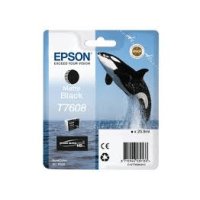
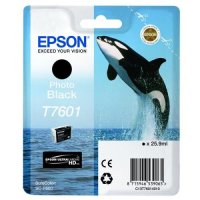
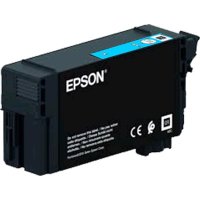
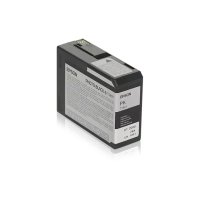
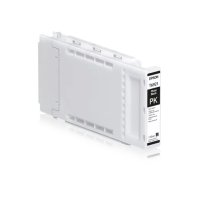
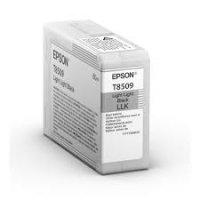
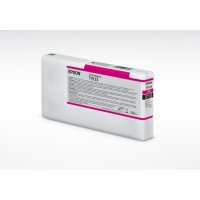
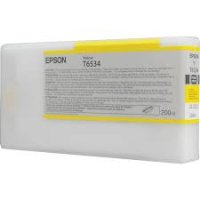
Epson SureColor ink and maintenance
This page lists the original Epson supplies we sell for SureColor large format printers. Most Epson ranges have one page per ink set, so every colour and size in the set sits on the same page with its part number and price. Pick a colour and size there to see the exact cartridge before you add it to your basket.
Finding the right cartridge
The quickest way is the printer search above. Type your printer model, for example SC-P9500 or SC-T5100, and it lists the ink ranges that fit. If you know the ink code, such as T913 or T54X, type that instead. The filters on the left narrow the list by series, colour and category.
UltraChrome ink sets
Epson names its large format inks by UltraChrome set. The sets we list include UltraChrome XD, XD2 and XD3 for technical and poster printing, UltraChrome PRO, PRO 6, PRO 12 and HDX/HD for photo and fine art, UltraChrome GS, GS3 and GSX for eco-solvent signage, UltraChrome DS for dye sublimation and UltraChrome RS for resin printing.
Older cartridge codes
Older SureColor and Stylus Pro printers use cartridge codes rather than set names. Ranges such as T544, T580, T591, T603, T606, T687, T760 and T55K are listed by code, so search by the code printed on your cartridge or by your printer model.
Help with an order
Some Epson printers take more than one cartridge size, and a few ink sets have been replaced by newer codes for the same printer. If you are not sure which one you need, contact our team with your printer model and we will check it for you before you order.
.png)


 (1).jpg)

 (1).png)


