.webp)

Your Five-Minute Guide to Printers for Small Businesses (Updated 2026)
If you are a managing director or small business owner searching for the right printer, you will already know how crowded and confusing the printer market can be. Every brand promises the best quality, fastest speeds and lowest costs, but which one is truly right for your business
This five minute guide explains what really matters when choosing a printer that fits your company’s needs, budget and long term goals.
1. Match the Printer to Your Industry
The first step is to choose a printer that suits the work your business does.
Creative and Design Studios
If you run a graphic design or photography business you will need a printer that delivers precise colour and long lasting results. Leading models from Epson, Canon and HP such as the Epson SureColor P Series or Canon imagePROGRAF range are ideal for producing gallery quality posters, brochures and fine art prints.
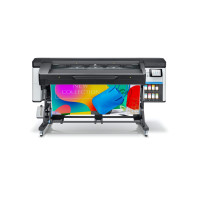
If your work involves outdoor graphics like signage or vehicle wraps, consider printers like the HP Latex 700 or 800 series or the Roland TrueVIS range which produce durable weather resistant prints.
Marketing and Office Teams
For small marketing firms or general office environments a multifunction printer that can print, scan and copy is usually the most practical choice. Modern options such as the HP OfficeJet Pro provide professional colour output and easy cloud connectivity for reports and presentations.
Engineering and Technical Businesses
If your company works with CAD drawings or construction plans, the Epson SureColor T Series or HP DesignJet range delivers accurate large format printing up to A0 size.
2. Connectivity and Flexibility
Today’s workplaces are increasingly hybrid and cloud based which makes connectivity essential.
Wireless printers are perfect for small offices and remote setups because they allow multiple users to print without complicated cabling.
Wired printers still offer faster speeds and more consistent performance in high volume environments.
For teams using different devices, choose a printer that supports Wi Fi Direct, AirPrint or cloud printing through Google Workspace or Microsoft 365.
If your office shares a single printer, make sure it supports secure network printing and user authentication to keep documents protected.
3. Cost per Page
Running costs matter just as much as the price of the printer itself. To find the real value, calculate the cost per page by dividing the price of cartridges or toner by their print yield. Most manufacturers list yields using ISO ratings, which makes it easier to compare models.
Tips to Save Money
If you mainly print documents, a monochrome laser printer will offer the lowest cost per page.
If you need colour prints for marketing materials, look for high capacity ink tank models such as Epson EcoTank printers which reduce ink costs dramatically.
Always check the expected monthly print volume per employee to make sure your chosen printer can handle both current and future workloads.
4. Sustainability and Energy Efficiency
Modern printers are far more sustainable than older models. Look for printers that offer
• Automatic duplex printing to save paper
• Recyclable cartridges and packaging
• Energy Star certification for reduced power use
• Refillable ink systems that cut down on waste and long term expense
Brands such as Epson, HP and Canon have focused heavily on reducing their environmental impact by using recycled materials and efficient production methods.
5. Making the Right Choice
From simple black and white printers to full colour multifunction devices, there is a printer for every business size and industry. Before buying, think about what you print most often, how many people will use it, and how much ongoing maintenance you can manage.
Create a checklist of your essential features such as print speed, colour capability, connectivity and eco efficiency. This will make it easier to compare models and choose one that fits both your needs and your budget.
Keep Reading
- Why you should be looking at the new Epson SureColor T-Series
- Six reasons to upgrade to Caldera V12
- Latex evolution: HP announces end of life for HP Latex 280
- Xerox AI – the future’s almost here!
- Brand NEW site for 2011
Lets talk!
We're here to help. Whether you're looking to get started with a large format printer or you've been in the industry for years, our team of qualified specialists are always happy to lend a hand. Give us a call on 0845 680 9000.
Our doors are open from 9am to 5.30pm Monday to Friday, but you can drop us an email at anytime and we'll get back to you as soon as we can.
.png)


 (1).jpg)

 (1).png)


